

Red saree girl AI photo prompt for Gemini and ChatGPT. Upload your selfie, paste this prompt, and get a stunning red saree portrait that keeps your face exactly the same. Works with Gemini and ChatGPT. The example image below is AI-generated.

==Use the uploaded photo as the only identity reference. Keep the person’s face, skin tone, and features 100% identical, with natural skin texture and no smoothing. A young Indian woman wearing a deep red Banarasi silk saree with a broad gold zari border and small gold motifs. The saree is draped elegantly over the left shoulder with neat pleats at the waist.
She wears a fitted red blouse with gold embroidery at the neckline, a gold choker necklace, small jhumka earrings, a thin gold bracelet, and a red bindi. Her long dark hair is styled in a low bun with a single white jasmine flower tucked behind the ear. Soft golden-hour light from the right creates a warm glow on her face and saree. Shot with a 50mm lens at f/2.8, shallow depth of field, creamy bokeh background. She stands in a sunlit traditional Indian courtyard with carved stone pillars and soft green foliage. Mood: elegant, warm, festive. 9:16 vertical ratio. No text, no watermark, no extra fingers, no distorted hands, no plastic skin.==
Works best with: Gemini, ChatGPT
Upload a clear front-facing selfie first, then paste this prompt.
Prompt | How to use | Variations | Fix problems | FAQs
How to Use This Red Saree Prompt
In Gemini
- Go to gemini.google.com and sign in
- Click “Open Sidebar” then “Images” (or select “Create images” from the tools menu)
- Upload your reference selfie (click the attachment or upload icon)
- Paste the prompt in the text box
- Click Submit and wait for the image to generate
- Download the result
In ChatGPT
- Go to chatgpt.com and sign in
- Click “Images” in the sidebar (or select “More” then “Images”)
- Upload your reference selfie (click the attachment icon)
- Paste the prompt in the text box
- Press Enter to generate
- Download the result
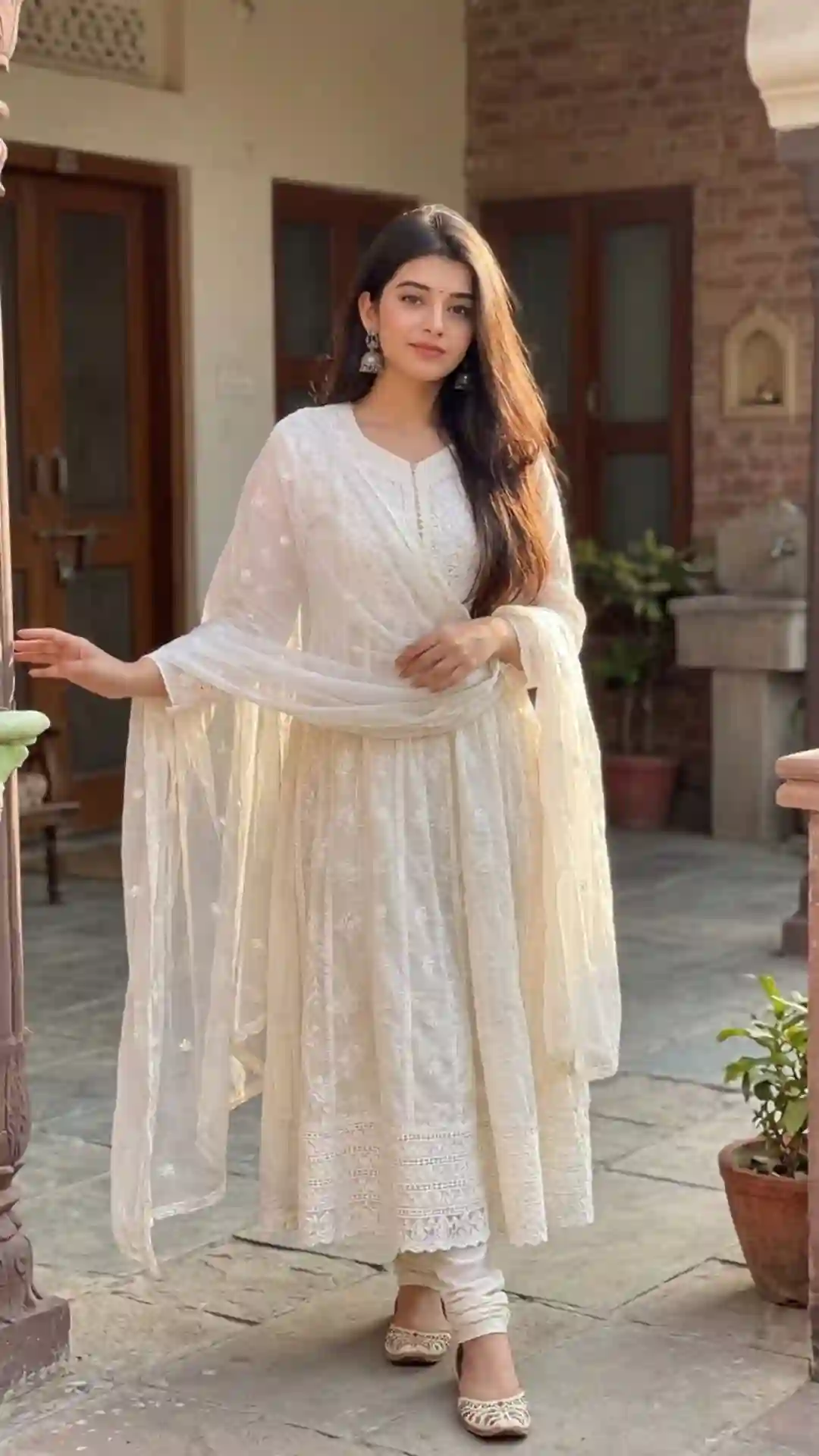
Reference selfie to Result: Upload a clear front-facing photo first, then paste the prompt. The AI uses your photo as the identity reference and generates a new image with the red saree look. Your face, skin tone, and features stay the same.
Why This Red Saree Prompt Works
Each part of this prompt does a specific job. Here is the breakdown:
| Part | What it does | How to change it |
|---|---|---|
| Face lock | Keeps your face, skin tone, and features identical | Add “preserve natural skin texture and pores” if face looks plastic |
| Saree fabric | Defines the fabric type, color, and border | Swap “Banarasi silk” with “Kanjeevaram” or “chiffon” for a different look |
| Jewelry and hair | Adds traditional accessories and styling | Add “maang tikka” or “nose ring” for more jewelry |
| Light | Creates warm, flattering illumination | Use “bright daylight” or “soft indoor studio light” for a different mood |
| Lens and depth | Gives a portrait look with background blur | Use “85mm lens at f/1.8” for more background blur |
| Background | Sets an Indian scene | Try “royal palace interior” or “temple backdrop” for a different setting |
| Mood | Sets the overall tone | Change to “romantic” or “dramatic” for a different feel |
| Negatives | Prevents common AI errors | Add “no cropped body” if limbs are cut off |
Red Saree Prompt Variations
Modern Red Saree

==Use the uploaded photo as the only identity reference. Keep the face, skin tone, and features 100% identical. A young Indian woman in a modern red chiffon saree with a thin gold border, draped over one shoulder with a stylish pleat. Fitted red crop-top blouse with subtle sequin detail. Gold hoop earrings, a thin gold chain, and a red bindi. Hair loose and wavy with a side part. Soft natural light from a large window. Shot with an 85mm lens at f/1.8, shallow depth of field. Background: clean white wall with soft shadow. Mood: modern, fresh, minimal. 9:16 vertical ratio. No text, no watermark, no extra fingers.==
Works best with: Gemini, ChatGPT
Traditional Red Saree
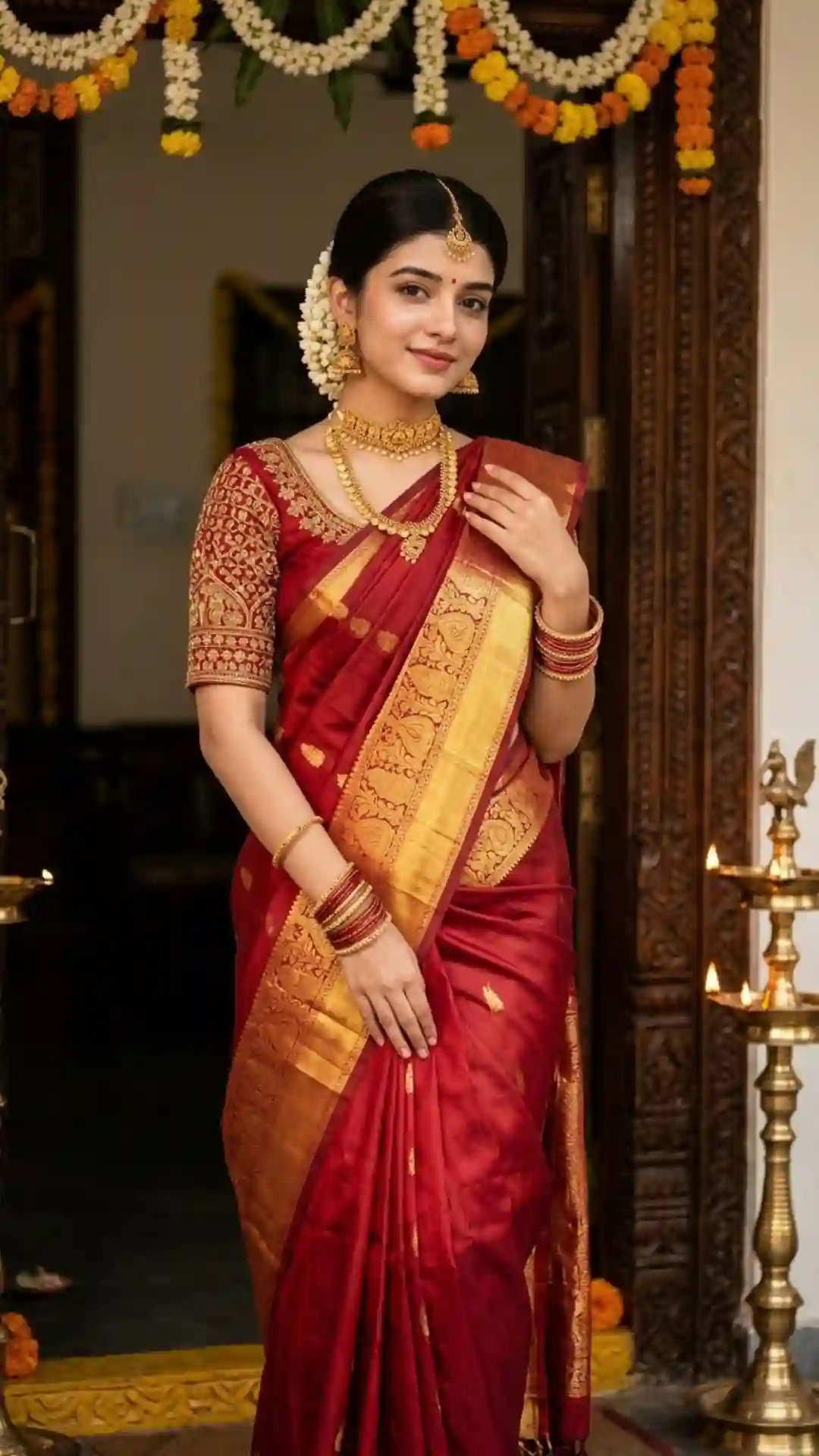
==Use the uploaded photo as the only identity reference. Keep the face, skin tone, and features 100% identical. A young Indian woman in a traditional red Kanjeevaram silk saree with a wide gold zari border and temple motifs. The saree is draped in the classic madisar style with a pallu over the shoulder. Fitted red blouse with gold thread work. Gold choker, jhumka earrings, gold bangles, maang tikka, and red bindi. Hair in a neat bun with jasmine flowers. Warm golden light, soft shadows. Shot with a 50mm lens at f/2.8. Background: carved wooden door frame with brass lamps. Mood: traditional, graceful, festive. 9:16 vertical ratio. No text, no watermark, no extra fingers.==
Works best with: Gemini, ChatGPT
Fix Common Problems
- Face changes: Add “preserve exact facial structure, no beautifying, no face alteration” to the prompt
- Saree drape looks wrong: Add “saree draped naturally with visible pleats, realistic fabric folds”
- Plastic skin: Add “natural skin texture, visible pores, no skin smoothing”
- Wrong aspect ratio: Make sure “9:16 vertical ratio” is at the end of the prompt
- Extra fingers: Add “correct number of fingers, natural hand position” to the prompt
What You Can Change
- Saree fabric and shade: Banarasi silk to Kanjeevaram, chiffon, organza, or georgette. Red to maroon, crimson, scarlet, or rust.
- Blouse: Fitted red with gold embroidery to crop-top, boat neck, backless, or full sleeve.
- Jewelry: Gold choker to pearl set, kundan, temple jewelry, or minimal gold.
- Background: Courtyard to palace interior, temple, garden, or studio backdrop.
- Time of day: Golden hour to morning, afternoon, evening, or night with fairy lights.
FAQs
Is this red saree AI photo prompt free to use?
Yes, completely free. No signup, no payment. Copy the prompt, upload your photo, paste, and generate.
Does it work with my own photo?
Yes. Upload a clear front-facing selfie. The prompt tells the AI to keep your face, skin tone, and features identical. Results vary by photo quality and AI tool.
Why does my face change in the result?
Use a clear, well-lit, front-facing photo without beauty filters. Blurry or filtered photos cause face drift. Add “preserve exact facial structure, no beautifying” to the prompt for better results.
Is this for Instagram?
Yes. The 9:16 vertical format works for Instagram Reels, Stories, and posts. The red saree look is popular for festive, wedding, and traditional content.
Gemini or ChatGPT?
Both work. Gemini (Nano Banana) tends to keep facial detail slightly better. ChatGPT handles complex scenes and detailed prompts well. Try both and compare.
How to get better quality?
Use a high-resolution reference photo with good lighting. Add “8K, photorealistic, DSLR quality” to the prompt. Generate 2-3 versions and pick the best. Avoid beauty filters on your selfie.
Is it safe to upload my photo?
Your photo is processed by the AI tool’s servers. Check the privacy policy of Gemini or ChatGPT. Neither stores your photo permanently for image generation.
Can I use this for commercial purposes?
The prompt itself is free to use. Commercial use of the generated image depends on the AI tool’s terms. Check Gemini and ChatGPT policies for commercial usage rights.
More Trending AI Photo Prompts
- Gemini AI Saree Prompts — 5 saree looks for stunning Indian portraits
- Beautiful Dress Prompts — 6 dress portraits for AI photos
- Instagram AI Photo Prompt — 5 real-looking ideas for social media
By Jason | Last updated: November 2026

Jason is an experienced content writer with four years of expertise crafting engaging blogs on AI prompts. Having previously written impactful articles for Prompt Ky, he is currently bringing his specialized knowledge and skills to Promptzify.com.
1 thought on “Red Saree Girl AI Photo Prompt for Gemini”